Field orchestration for commercial trades

Imagine your field techs doing their paperwork in their earpiece, hands still on the job.

We get how rough paperwork & many apps are on field techs.

Your crew texts or talks their way through the job — a checklist, a technical sentence, a long voice note, or hands-free in a Bluetooth earpiece with the phone still in their pocket. The readings, the photos, the signature, the parts used: captured on site, validated as they go, and back in your system before the truck leaves the driveway.

Isn’t it a hassle trying to get paid?

You did the work. The truck went out, the part went in, the customer is happy. Then the invoice sits. Miss one filter picture and it is held up. Use the same photo for the before and the after — and somebody notices — and it is suspended. Terms of 90 to 120 days can be normal before anything even goes wrong. Every rejection is more float on work you have already paid a tech for.

And every program wants it differently. Different photo counts, different fields, different sign-off — then the end customer underneath wants something else again. Nobody in your office can hold all of it, so your techs are asked to, at the end of a long day, from memory. The photo nobody took surfaces six weeks later, in a dispute.

The way out is not another rigid app. It is one system that is deliberately not your source of truth — that cherry-picks only the data a task needs, lets people line it back up the way their business actually works, enriches it in the field, and hands it back. Adaptive per customer, per job, per season, because the conversation is designed rather than compiled.

We get you the proof, and we untangle the requirements. So you get paid.

The job already knows whose rules it is under.

A work order is never just a work order. It belongs to this customer, at this site, on this asset, under this program — each of which wants something different at close-out. Four photos and a gate code here. A different sign-off there. An extra reading for the account that asked for one last spring.

So the workflow assembles itself from that context before the tech ever opens it. They are never handed a menu of checklists to pick the right one from. They are never told to remember a rule. The steps that appear are the steps that job owes, and the job will not close until they are done.

It knows the customer

The national's requirements and the end site's requirements both apply, and neither the dispatcher nor the tech has to know which is which.

It knows the equipment

This RTU, this panel, this backflow device — with last visit's readings alongside, so out-of-tolerance is caught while somebody is still standing there.

It knows the person

Certifications, language, what they are allowed to sign off. The same job reaches a W-2 crew and a one-day sub correctly.

All the tech has to do is the work, and answer as they go. The rules were somebody else's problem before they got in the truck.

A checklist that adapts to the job — and still comes back complete.

Every crew already runs a checklist. On paper, in a portal, or in somebody’s head. The trouble is it is the same checklist for every customer, it takes twenty minutes nobody has, and half of it gets filled in from memory at the end of the day — which is exactly when the photo that would have settled a dispute does not get taken.

A dynamic field checklist is built for the job in front of them. It asks for what this customer requires, in whatever order the site allows, and it will not close until it has what you need — the readings, the photos, the serial, the quote, the signature. Not a form that can be skipped past. Proof, captured while the truck is still there.

It adapts, so nobody picks the wrong one

The steps come from the job’s customer, site and asset. No menu of forms, no rule to remember, no wrong version from last year.

It can be answered any way they like

Tap through it, type a line, send a long voice note, or go hands-free with the phone in a pocket. Whatever is possible with the hands they have free.

It cannot come back half done

A photo they could not take yet is tracked as owed, not forgotten. The job stays open until every one is cleared.

And it can be accelerated. Instead of answering twenty questions, a tech can describe the job in one go — a paragraph, or a voice note on the drive to the next call — and Wingman, our conversational engine, maps what they said onto the checklist and fills a dozen steps at once. Each one still goes through the same validation a tapped answer would. Twenty minutes becomes two, and nothing is lost.

Nobody has to be chatty, either. Prefer to tap? Take it step by step. One checklist, two speeds, identical proof out of either. The rigidity is on the data, never on the person.

Photos & serialsReadings & tolerancesQuotes & NTESignatureGPS & timestamps

Bottom line: you get proof. Every job, the same shape, whether they talked it or tapped it.

The tech works in their language.
The office gets it in yours.

Half the trades in this country run on crews who think in Spanish, and every system they touch makes them work in English. So the notes get short, the detail gets lost, and the office blames the tech for paperwork the software made hard.

Here the checklist is read, answered and spoken in the language that person actually thinks in — typed, tapped or through the earpiece — and it is stored in your site's language for the record, the invoice and the national's report. Same job, same structured data, no translator in the middle and nothing lost on the way.

Out of the box

English, Spanish, German and French are ready now. Korean, Chinese, Portuguese and more are a click away — not a project.

Per person, not per company

One crew, four languages, one job. Each tech gets their own; the record comes back in one.

The proof reads correctly

The customer's proof-of-service and the program's report come out in the language they expect, whoever did the work.

EnglishEspañolDeutschFrançais한국어中文Português+ more

Nobody should do worse work because the form was written in somebody else's language.

Chat all you want. Here's the mission.

Everyone has been promised conversational AI and handed messy outcomes. The models are not the problem. A conversation with no destination ends somewhere different every time — so you get transcripts instead of data, and no two look alike.

We fixed that by giving the AI a mission. Before a single word is exchanged, the workflow has already told it three things: what the goal is, what the options are, and what media is being collected. Now the person can talk however they like — tap, type, ramble, dictate — and the AI's only job is to land that mission. Unstructured conversation in. Structured, validated, identical-every-time data out.

So chat all you want. Here's what the mission is — and that is what gets done.

The channel

RCS, Apple Messages for Business, WhatsApp, Alexa next — and a Bluetooth earpiece with the phone still in a pocket. Already installed. Already trusted.

The structure

The workflow: the steps, the branches, the rules, the validation. This is the mission the AI has to complete, and the thing the channel expresses.

The meaning

Context links your data your way. Essence tells the AI what it all means — so when somebody says “compressor's shot,” it knows which field that is.

It starts with a little structure. Essence, Worldview, Context.

Generic AI gives generic answers because nobody ever told it anything true about your business. Three small pieces of structure fix that, and everything downstream inherits them.

Essence

What your things actually mean — not the column name, the meaning. This is what lets the AI take a sentence a human said out loud and know exactly which structured field it belongs in.

Worldview

How your business really runs, in your words: the sequence, the thresholds, who approves what above which dollar amount, and the things that must never happen.

Context

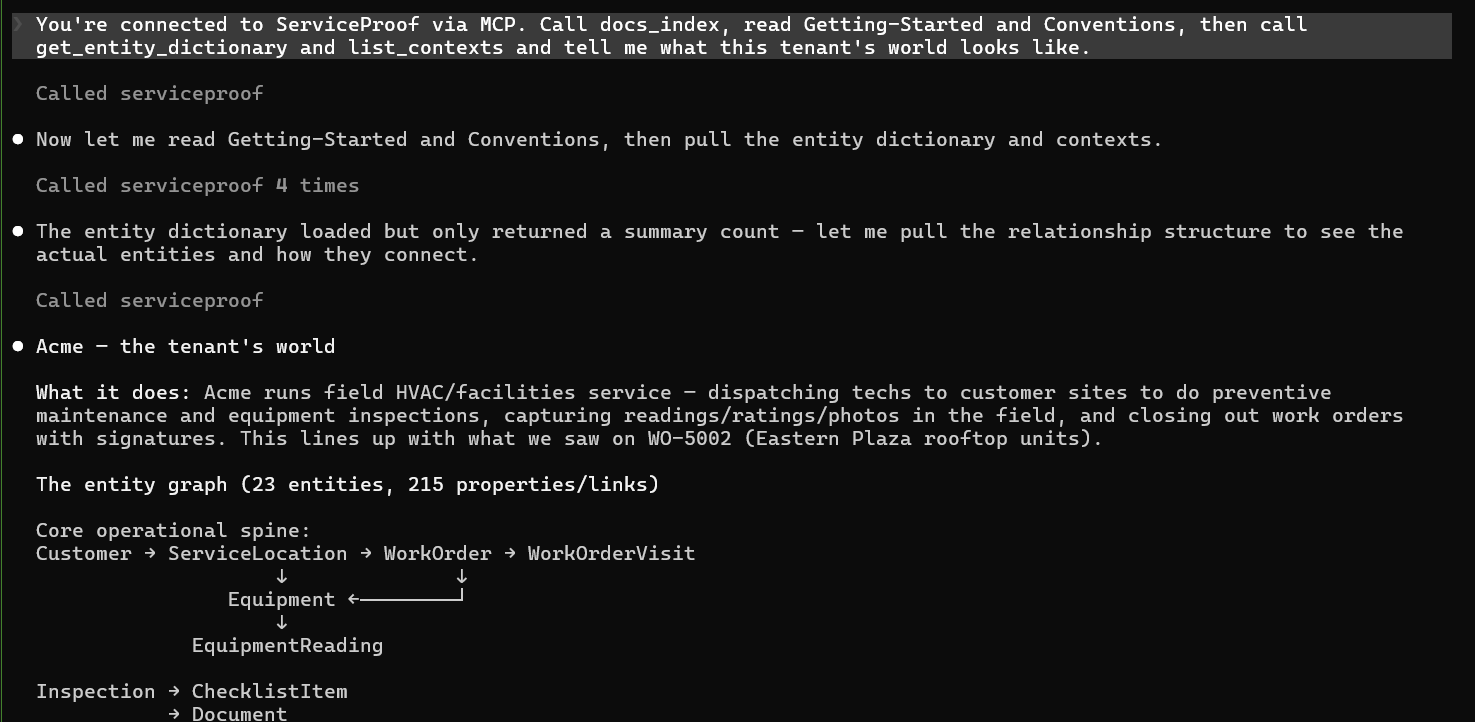
How your data links to itself — customer, site, asset, work order. You decide what hangs off what, and every token, workflow and AI reads that same world.

The roof doesn't care what order your form is in.

Rigid workflows fail in the field for one reason: real work does not happen in the order somebody typed it. So ours don't insist. A tech can take the paths in the order the job actually goes — our non-deterministic parallel splits, patent pending — and still cannot skip the work. They can defer a photo because the unit is behind a locked gate right now, keep moving, and get held to that debt before the job can close.

That is the difference between structure and bureaucracy. The rules are on the outcome, not on the choreography.

Pick your own pathDefer a photo, owe itCompletion honesty gatePhone in pocket, earpiece onThe thread is the receipt

One spoken sentence becomes a complete record.

“Checked the condenser, 118 PSI, here's the photo.” — and the platform files a typed reading, a GPS + time stamp, the photo on the right job, and a proof PDF to the customer. Nothing retyped. Nothing missed.

That's the whole magic in one move: people just talk — and you get the exact structured data and photos you require. The ease of a conversation with the rigor of a form.

NO APP · NO LOGIN TO TEACH — onboard a whole crew, or a one-day subcontractor, with a single text.

ServiceProof● online · RCS
Work Order WO-5001Ready to start the A/C inspection at 214 Oak St?
Start jobNot yet
Start job
Condenser — refrigerantReading in PSI?
118
Photo owedSnap the blower motor nameplate 📷
PHOTO CAPTURED · GPS 30.27,-97.74
blower-motor.jpg · 11:47a
All set — sending the proof PDF to the customer. ✅

As simple as a checklist. As deep as a dispatch board.

Same platform, your data, running in the thread your crew already has open. A few of the things running today:

Preventive maintenance round
One visit, every unit on site — readings per asset, flagged the moment one is out of tolerance.
Multi-asset
Parts used on the job
The tech taps the parts off a list in the thread; the tally lands on the invoice instead of a scrap of paper.
Multi-select
Punch list & sign-off
Walk the job, photo every open item, customer signs in the thread before the truck leaves.
Signature
Courier dispatch
Delivery confirmation with photo proof and a customer-not-home branch.
RCS
HVAC service call
Guided inspection, equipment readings, signature, proof-of-service PDF.
WhatsApp
Facility contractor mgmt
Dispatch to subs with nothing to install; verify the work with photo + GPS.
Apple Messages
Warranty & callback capture
Serial, fault code and the photo that settles it — captured on site, not reconstructed six weeks later in a dispute.
Proof
Drop your paper form → a workflow
Hand us the PDF checklist your techs carry today; the AI turns it into a working flow in the thread.
AI

See the earpiece run a job ›  ·  Every feature, in plain English ›

Let people just talk. Capture exactly the data — and the proof — you need.

The ease of a conversation with the rigor of a form. Your crew describes the job out loud; you get complete, required, queryable records — and the photos that meet your obligations. That's the difference between an AI that chats and a platform that runs your business.

When the truck leaves the lot, every job runs your way.

Whatever your vertical, the problem is the same: human activity you can't see and can't standardize. ServiceProof orchestrates it — the same steps, the same photos, the same proof on every job, every crew, every day — human activity captured as structured data, over rich messaging: the tools everyone already has and already knows how to use.

Consistent behavior

One published process for the whole field — nobody skips the nameplate photo again.

Activity becomes data

Every tap, photo, and spoken answer lands typed, timestamped, GPS-stamped, queryable.

Nothing to install

It rides the messaging apps your people already live in — zero training day.

Any vertical

An HVAC truck, a fire & life safety round, a facilities sub — same engine, your rules.

Mobile apps don't work on a 110° roof. Texting does — with an AirPod in your ear.

Workflows techs actually love — in the thread, in the ear, phone in the pocket — is why the data exists at all. Four visits, two techs, every reading captured. So when it's time to quote that customer's PM contract, you quote it from empirical data — real visits, real service history, real performance numbers your techs captured on site. Not a guess. Who else can do that?

This is what you get when you do business over business messaging.

Not a chatbot. A record of what actually happened on the job.

AI chat is fluid and forgettable. We're the opposite — we start from your data and end with proof. Four moves:

01 · CONTEXT

We learn your world

Your data becomes entities and properties — each carrying its essence: a plain-language note on what it means and what it's for. So the platform, and the AI, understand your business — not just store it.

02 · WORKFLOWS

We build what the field does

Every step is context-aware — it knows the customer, the equipment, the job — and adapts to your data. Parallel paths, branching, loops: real process, not a flat form.

03 · RICH MESSAGING

We deliver it to a phone

A rich, tappable conversation over RCS, Apple Messages for Business, or WhatsApp. No app to install, nothing to teach — even for subcontractors.

04 · AI CAPTURE

People speak — you get data

The payoff: people just talk naturally, and we capture it into the exact structured data and photos you require. Conversational to do; structured to keep.

The full walkthrough ›

Three pages worth your next ten minutes.

The Wingman earpiece — and what comes next.

Phone in your pocket, both hands on the work: Wingman reads the job into your ear and captures your spoken answers — still the same rich-messaging run underneath, still the same structured data at the end.

It's a breakthrough for field crews — and for blind and low-vision workers, who can now run the very same workflows entirely by voice. Smart glasses are coming next.

Meet the Earpiece

Wake & go

“Hey Wingman” starts the run; “over” sends the answer. Eyes on the equipment.

Speak many steps

One rambling description fills step after step — validated exactly like a typed reply.

Photo honesty gate

“You owe me one photo of the blower motor” — the run won't close until it's captured.

Accessible by design

The whole workflow, by voice — independence for blind and low-vision techs.

Things you cannot do anywhere else.

Pick every part you used, in the thread

A list where the tech taps several items and the thread keeps the tally — the difference between a note to self and a line on the invoice. As far as we know, a first on the channel.

One authored experience, rendered natively

Write the step once. It becomes RCS rich cards, Apple Messages for Business, WhatsApp interactive, or plain SMS — each in that channel's own native shape, not a lowest-common-denominator blob.

Non-deterministic workflows

Patent pending. Parallel paths a person can take in any order, with the work still guaranteed — because reality does not run top-to-bottom.

From a two-truck shop to a Fortune 500 platform.

National facility management, national and regional contractors, large local contractors. We support the field — and we speak to each.

National & regional contractors

HVAC · Plumbing · Electrical · Doors

Run your crews on one consistent process and get proof on every job. Keep your phone in your pocket and do your paperwork in your ear — the game-changer for the trades.

National facility management

CBRE · Vixxo · ServiceChannel-style programs

Extend one operating standard to every contractor on the program — with nothing for them to install. Verify the work with photo, carrier-validated GPS and a vendor scorecard, at national scale. Your subs never pay.

Large local contractors

One market · Serious about the work

You do not have an IT department and you are not buying one. Sync the jobs out of the system you already run, hand your techs an earpiece, and start collecting exactly what each customer demands — without changing how you dispatch.

Whatever you run, we know how it works on a phone.

Your industry, up close ›

From your ERP to a Google Sheet — we meet your data where it lives.

Rich messaging is only as good as the data behind it. Sync from the systems of record you already run, or drop in a spreadsheet — we enrich it, act on it in the field, and hand the results back. Start shallow with a job number and a webhook; go deep with near-real-time two-way sync. New connectors and partnerships land every week.

Enterprise ERP / CRM / CMMS
ServiceTitan, dESCO, SAP-class systems — near-real-time, two-way.
On-prem SQL
A secure agent syncs your database; filters run on your side, so PII never leaves.
Google Sheets
Connect a sheet; rows become live data in minutes.
Excel / CSV
Drag in a file; we map it to your model and keep it in sync.
REST API
Push and pull programmatically — one wire format, UTC always.
Webhooks out
The moment work completes, your systems hear about it.
dESCO ESC
Field-service management — live two-way sync via the secure on-prem agent.
Google Sheets
Connect a sheet; rows become live data — and dispatched jobs — in minutes.
Microsoft SQL-based FSMs
Any FSM, ERP, or CMMS on SQL Server syncs through the on-prem agent — PII never leaves.
Excel & report exports
Drag in the export you already produce; we map it to your model and keep it synced.
Acumatica
Via API or PowerApps — add rich messaging to the ERP your business runs on.
Zapier
Webhooks in and out connect thousands of everyday apps, no code.
Azure BlobAmazon S3S3-compatibleGoogle DriveGoogle Cloud StorageSFTP / FTPNetwork shares+ more landing weekly

Your systems stay in charge. We're deliberately not your source of truth — data flows like a river: synced in, enriched in the field, handed back. ERP-optional: the floor is a job number in and a proof PDF out.

The power to collect data from the field — and see through time.

Every record keeps its history automatically. Snapshots capture the changes; changes become variances; variances become trends you — and your AI — can actually see. Breakdown frequency by unit. Temperature drift by site. Agreement rates by crew. Just by being connected.

Now layer on the field: four visits to one site by two different techs isn't paperwork — it's a dataset. Human activity becomes datapoints you gather and apply — spot the trend, tighten the quote, improve the flow, even fill a vendor's PDF form automatically on every job.

As-of & rewind

Any record, as it looked at any moment — even things since deleted. Month-end close, on demand.

Variance → trends

What changed, when, by whom — per record or replayed across a whole report at monthly snapshots.

The smarts are built in

Views and Reports trend it, chart it, email it — right in the platform, with the AI Copilot setting it up for you.

Or bring real Power BI

A key and a few clicks — we answer like a Microsoft SQL Server. No driver, no export step, no lessons.

Power BITableauExcelODBC · anythingSalesforceZapier
The whole data story Power BI, out of the box

We are not your system of record. We are the enrichment layer.

Your data already lives somewhere, and it is not moving. So we sync in only what a job actually needs — from your business system, your Verizon fleet feed, the inventory platform that knows truck stock, a SQL or Postgres database, a spreadsheet somebody maintains by hand. We genuinely do not care where it comes from. You build Contexts on top to link it the way your business actually thinks about it, not the way six vendors happened to model it.

Then the field enriches it — and it goes home. An API call, a stored procedure, a webhook, or a sync straight back into the source. Whatever is safe for that system. And because we synced real keys against real context, it lines up: your record, extended, not a parallel copy you have to reconcile forever.

We'll build the integration

Sync wizards for more platforms all the time — and if yours isn't there, we will build the connector to your ERP, FSM or custom database free to get you started. Within reason, but we mean it. We like syncing data in.

Trending, for free

Every sync captures snapshots and changes. You did nothing extra, and you now have history, trend lines and AI insight over data that used to be a single current value in somebody else's database.

Query us like SQL

Power BI connects natively. Add us as a linked SQL Server — on-prem if that is where you run, cloud if that is where you run. PostgreSQL compatible too. Your BI tools cannot tell the difference.

A mission, not a straitjacket.

Real conversations go sideways, and a system that can only follow its own script fails the moment somebody asks something reasonable. So any step can open the door: ASK puts one real question to a human and waits for the answer; CONVERSE hands the thread to an AI for as long as it is useful, then brings it back. Both are armed per step, and both are governed by what that step knows — the context, the essence, the data already collected.

ASK — one question, one answerCONVERSE — free-form, then back on missionStep actions & SetContextWebhooks on every eventYour AI keys or ours

The trigger engine automation promised — on your data, your field, your workflows.

Every automation platform you have used fires on a system event: a row was added, a form was submitted, an email arrived. Useful — and always one step removed from the work, waiting for some other piece of software to notice something first.

We fire on human activity. A tech taps arrived. A customer picks two items off a carousel. A photo lands. A signature is captured. A reading comes back outside tolerance. A job is genuinely finished. Each one is an event the instant it happens — and it is not a raw log line, it is validated and structured, carrying the context with it: which customer, which site, which asset, which job, which person.

Zapier waits for your software to do something. We wait for your people to do something — and then we tell your software.

Fire a webhook. Call your API. Run the stored procedure that is safe to run. Start the next workflow. Page a human. Hand the thread to an AI and let it carry on. Because the workflow defined what done means, the trigger is worth trusting: not “somebody typed something,” but this step completed and passed validation. That is the difference between an automation that fires and an automation you would let touch your ERP.

Triggers on real-world activityValidated before it firesCarries your contextWebhook · API · stored procChain the next workflowHand off to an AI

Nobody does “a workflow.” They finish a job.

So workflows travel in kits — the set of things that must be true for a job to count as done. A PM visit is a kit. An install is a kit. Onboarding a new customer is a kit. Dispatch a kit against a real record and every workflow in it inherits that anchor, that context, and that person — then the whole thing is tracked to completion, in one thread, on one phone.

Identity-powered personalization.

Customers don't see channels. They see your brand.

Listrak connects behavior across sessions, devices, and interactions to build a unified understanding of every individual. Identity resolution stitches together browsing activity, purchases, and engagement into a continuously evolving customer profile — and real-time signals keep personalization accurate across every channel and experience.

Identity resolution
Unifies behavior across devices and channels.
Real-time signals
Profiles and segments update instantly.
Cross-channel visibility
Email, SMS, Push, Web — and RCS.
First-party foundation
Privacy-safe personalization, built on your own data.

ServiceProof is the work-and-business side of that story — and field orchestration for the trades — national facility management, national and regional contractors, and large local contractors alike.

25 years
messaging at scale
Billions
emails & texts a day
Top-tier
email · SMS · personalization
Now
business over rich messaging

Listrak is the cross-channel personalization platform — Email, SMS, Push, Web, In-Store, and emerging channels like RCS, from a single platform. ServiceProof extends that to work: you don't just reach people in the thread anymore — you do real business there.

One platform. One conversation. Real business, everywhere.

This isn't a pitch deck. It's running.

Start a free trial and run one real job end to end this afternoon — your customer, your trade, your close-out requirements. No card, no install. And when you're ready to go live, we set you up as a verified sender on the real networks — then you launch for real.